Topos

io.github.Krv-Labs由 GitHub 帳號 Krv-Labs 發布v0.15.0更新於 Nov 3, 2026

Structural code-quality tools for AI coding agents.

已驗證STDIO僅桌面開發者工具資料與分析

概覽

AI 產生的概覽

Topos 依結構品質格(SIMPLE、COMPOSABLE、SECURE、NAVIGABLE)為原始碼檔案評分,讓編碼助理能量測、修改並驗證重構。

可以做什麼
  • 對程式碼字串、單一檔案或整個專案依四項品質支柱評分並給出獎牌結論
  • 對照 git 基準、已儲存的快照或並排變體評估變更
  • 排序重構熱點,並依 AST 距離比較檔案或程式碼片段
  • 產生並檢查 COMPOSABLE 支柱所需的相依圖
  • 量測結構性測試覆蓋率,並產生 PR 或提交區間的結構回顧
  • 讀取內建的助理迴圈說明文件
適用情境
適合編碼助理撰寫或重構程式碼時,需要可重現、以結構為基礎的品質訊號,以及「改完再驗證」的迴圈,而非 LLM 審查或風格意見。也適合審查拉取請求的變更檔案,或找出儲存庫中最嚴重的結構問題。
執行需求
以 stdio 在本機執行,通常透過 uvx topos-mcp 或 topos 命令列啟動。README 的安裝方式為 shell 安裝腳本或 Homebrew;COMPOSABLE 支柱需要 GitNexus 相依圖,README 表示需全域安裝 gitnexus 的 npm 套件。未宣告任何驗證或環境變數。
安裝前請注意
部分工具會寫入磁碟:評估檔案或專案可能產生或更新 .gitnexus 相依圖,begin_refactor 會儲存基準快照。README 的安裝步驟把遠端腳本直接交給 shell 執行,建議先審閱。文件稱分析在本機進行,原始碼不會傳送給外部模型或託管分析服務。

安裝

在 SourceWeft 中

  1. 開啟 儀表板中的 Topos,將其新增到工作區。
  2. 為需要使用其工具的對話啟用該服務。

Desktop only,透過 STDIO。 STDIO 服務會啟動本機處理程序,因此需要 SourceWeft 桌面主機。

其他 MCP 客戶端

參照 儲存庫 中的啟動說明。

README

[Topos]

the agent harness for structural code quality

Topos measures complexity, coupling, risky data flows, and agent cognitive load, then gives your agent a concrete target—from SLOP to PLATINUM.

[Topos self-evaluation: SIMPLE, COMPOSABLE, SECURE, NAVIGABLE results for the core crates] [Install Topos MCP in VS Code] [PyPI] [License] [Topos MCP server] [ClawHub]

Install · What it checks · Under the hood · Docs · Issues


Why Topos

Coding agents produce working code quickly. The harder question is whether the result is still easy to understand, safe to change, and well-fitted to the rest of the repository. Quality is the new currency.

Topos computes that signal from program structure—not from an LLM review or a style opinion—and returns concrete failure locations and next actions. It is fast enough to sit inside the agent loop: measure, edit, verify, repeat.

Tests check behavior. Topos checks whether the implementation is built to keep changing.

Grounded in category theory, written in Rust.

Install and Quick Start

One binary. Every supported agent harness. A clean way back out.

1. Install the CLI

Use the verified release installer:

bash
curl -fsSL https://docs.krv.ai/topos/install.sh | bash

Or install with Homebrew:

bash
brew install krv-labs/tap/topos

On Homebrew 6+, that fully qualified one-liner auto-taps and trusts only this formula. If you brew tap krv-labs/tap first, run brew trust --formula krv-labs/tap/topos before brew install topos.

[!TIP] Prefer an editor-managed install? In VS Code or Cursor, search @mcp topos in the Extensions view or choose Install MCP server. This is an alternative to topos install: your editor installs and manages the Topos MCP server for you.

2. Connect your coding agents

topos install detects every supported MCP harness and lets you configure any—or all—of them from one interactive checklist:

bash
topos install
text
┌  Which agent integrations do you want to configure?││  ↑↓ move · space toggle · a all · enter confirm · esc cancel││ ❯ ○ Claude Code          (detected)│   ○ Claude Desktop       (detected)│   ● Codex CLI            (✓ active)│   ● Gemini CLI           (✓ active)│   ○ GitHub Copilot CLI   (detected)│   ○ Cursor               (detected)│   ○ VS Code              (detected)│   ○ Google Antigravity   (detected)│   ○ pi                   (detected)│   ○ OpenCode             (detected)└

Restart the agents you configured, then ask:

"Use Topos to find this repository's worst structural problem, make one focused improvement, and verify the result."

[!IMPORTANT] Too many tools spray MCP servers across agent JSON files, scatter symlinks around your machine, then leave you to burn half a Claude session untangling the mess—or pull your own hair out doing it. Topos does not play that game. We follow a leave-no-trace policy for harness installation state: topos status shows every registration, while topos uninstall opens the same selector, previews exactly what will change, and removes everything it added to your harness configs. Shared cache bookkeeping and repository-scoped cache leases are not installation state, so uninstall leaves them alone and reports any shared bookkeeping it keeps; generated PR caches are removed only by an explicit topos cache clean or topos cache prune. If Topos makes it easy to do, it should be just as easy to undo.

bash
topos statustopos uninstall

See the agent setup guide for permissions, manual configuration, and troubleshooting.

3. Evaluate from the terminal

bash
topos evaluate . -r

Topos discovers Python, Rust, JavaScript, TypeScript, C++, and Go automatically. Pass --language only when you want to narrow the run.

Reviewing a pull request instead? topos pr-recap 5 gives a structural before/after card and debt ledger for the PR's changed files — no LLM, fully reproducible, with presets calibrated across 1,609 open-source pull requests (PR Recap calibration · lab notes).

See Installation for platform support and alternative install paths.

What Topos checks

Every file gets four independent verdicts:

  • SIMPLE — avoids unnecessary complexity using AST entropy and control-flow complexity.
  • COMPOSABLE — limits a file's outward dependency burden; broader coupling and stability metrics remain available for diagnosis.
  • SECURE — avoids dangerous API reachability and taint paths in the code property graph.
  • NAVIGABLE — stays shallow enough for an agent to read and change in one pass, using depth-weighted nesting divergence over the AST scope tree.

Those verdicts roll up into one memorable quality medal without hiding which pillar failed:

MedalCriteria
🏆 PLATINUMPasses all 4
🥇 GOLDPasses 3 of 4
🥈 SILVERPasses 2 of 4
🥉 BRONZEPasses 1 of 4
❌ SLOPPasses 0, or fails to parse

See the full metrics reference. Refactor guidance also surfaces control-flow cycles, load-bearing dependency edges, and process bottlenecks.

How the medal system is derived

The four pillars are pairwise incomparable and form a sixteen-element evaluation lattice (a 4-cube); PLATINUM is their intersection. Labels below abbreviate the pillars as Simple, Composable, Sc = Secure, Navigable.

[The full evaluation lattice — SLOP at the bottom, four single-pillar BRONZE states, six two-pillar SILVER states, four three-pillar GOLD states, and IDEAL (PLATINUM) at the top.]

Measures · Category-theory foundations

Under the hood

Topos is a self-contained Rust CLI and MCP server. Analysis runs locally; your source code is not sent to an external model or hosted analysis service.

ComponentRole
tree-sitterParses six languages and powers the native AST, CFG, CPG, PDG, and UAST representations.
GitNexusSupplies the repository dependency graph scored by COMPOSABLE (topos depgraph generate). Requires npm install -g [email protected].
SighthoundEmbedded in the MCP server for supplementary security findings; native CPG probes remain the SECURE scoring source.

The result is one agent-facing contract over several structural lenses: one score to optimize, explicit evidence for each failure, and a verification loop that can tell a real improvement from cosmetic churn.

More ways to use Topos

Distribution

Topos ships four ways:

  • GitHub Releases — the topos CLI binary (macOS/Linux), via install.sh or a direct release download.
  • PyPI — topos-mcp, a thin bin-wheel bundling the MCP server binary (pip install topos-mcp / uvx topos-mcp), zero Python runtime.
  • VS Code Marketplace — the Topos extension, bundling platform binaries.
  • Docker — a container image for Glama and other MCP-registry hosting.

Crate layout and adapter details: docs.krv.ai/topos/architecture.

Contributing

Topos is used internally at Krv Labs to manage AI-agent code output. We welcome bugs, ideas, and contributions.


Full documentation · Measures and metrics · Engineering notes

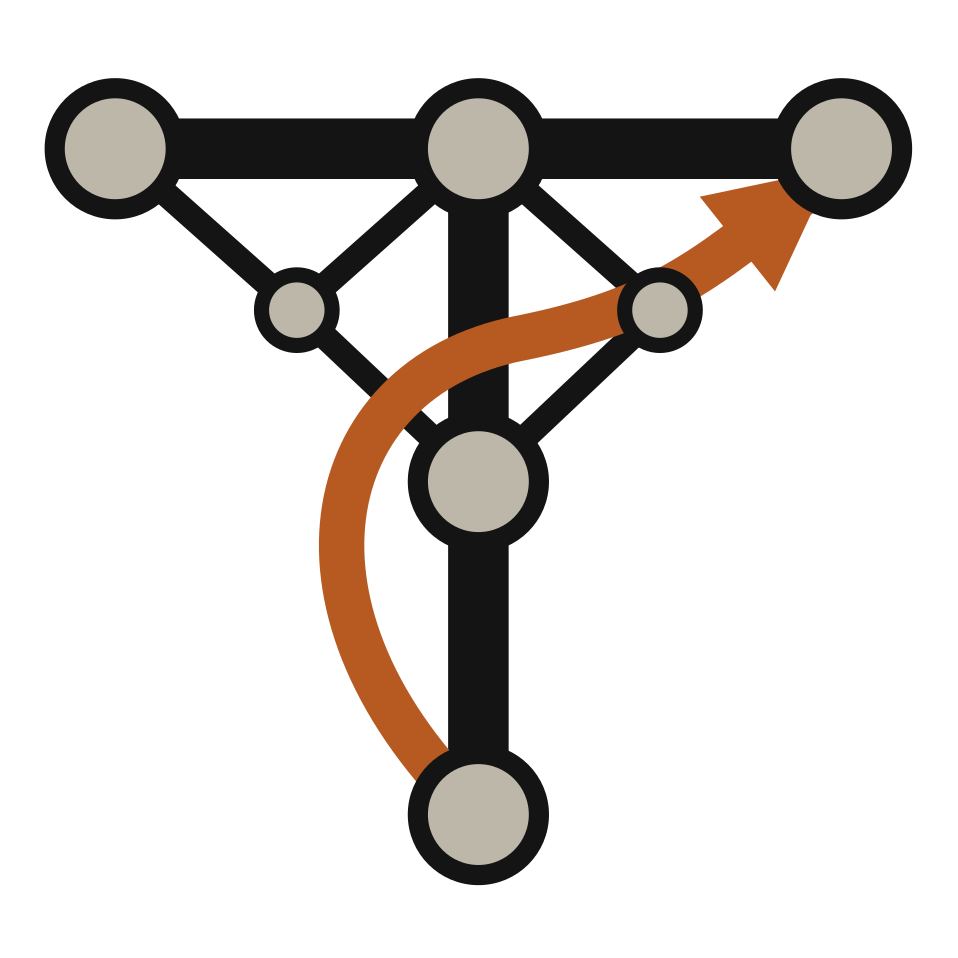
[Made by Krv Labs]   [Topos lattice verdict]
來源:README.md,提交 cbd1b67

工具

18

topos_assess_changeset

Topos Changeset Assessment

Assess a multi-file changeset against a git baseline and roll the per-file verdicts into a project before/after (read-only). Use for a module split or any edit spanning several files. Each file is compared to `baseline_ref` (new files have no baseline). Flags `complexity_relocated_within_file` and `project_regression`. Returns a ChangesetResult.

輸入參數allowfiles必填preferencesbaseline_refgitnexus_dirinclude_security_findings

topos_assess_improvement

Topos Refactor Assessment

Compare a baseline to a side-by-side proposed variant (read-only). For normal edit-in-place loops, use `topos_assess_worktree_change` or snapshot first with `topos_begin_refactor` then `topos_assess_snapshot`. This tool is for variants supplied as `proposed_code` or `proposed_filepath`. Returns an AssessmentResult with `status` and score/metric deltas.

輸入參數allowfilepathlanguagepreferencescurrent_codegitnexus_dirproposed_codeproposed_filepathinclude_security_findings

topos_assess_snapshot

Topos Refactor Assessment

Assess the current file against a baseline captured by topos_begin_refactor. Loads the stored baseline by `snapshot_id` and compares it to the current on-disk file, with the same status semantics as `topos_assess_improvement`. A missing or expired snapshot is reported via `blocked_by`.

輸入參數allowfilepath必填snapshot_id必填include_security_findings

topos_assess_worktree_change

Topos Refactor Assessment

Assess an in-place edit against a git revision — the common refactor loop. Stateless: the baseline is read from git (`git show <baseline_ref>:<path>`, default `HEAD`) and compared to the current working-tree file. No prior call required. For untracked/new files or an uncommitted pre-edit baseline, use `topos_begin_refactor` + `topos_assess_snapshot`. Do not call if you have not edited the file. A no-change result on a passing file has no `next_tool`.

輸入參數allowfilepath必填preferencesbaseline_refgitnexus_dirinclude_security_findings

topos_begin_refactor

Topos Begin Refactor

Persist the file's current source as a baseline snapshot before you edit it (writes a snapshot record — its only side effect). Returns a `snapshot_id`; edit the file in place, then call `topos_assess_snapshot(snapshot_id, filepath)`. Use this when the baseline is not a committed git revision.

輸入參數filepath必填preferencesgitnexus_dir

topos_calculate_coverage

Topos Structural Coverage

Measure how well a test suite exercises its program-under-test, via structural (UAST) coverage (read-only). A standalone signal, separate from the four-pillar quality lattice; for a quality verdict use `topos_evaluate_*` instead. Computes UAST bipartite declaration matching and k-gram path recall. Returns a CoverageResult.

輸入參數klanguageput_files必填test_filesinclude_unknowncoverage_threshold

topos_compare_code

Topos Structural Comparison

Compute the AST (tree-edit) distance between two source-code strings. Read-only and idempotent; parses both snippets in memory, never writes or scores. Use for clone detection or to measure refactor impact; the `topos_assess_*` tools already fold this in as an anti-gaming check, so call it directly only for the raw number. Returns a ComparisonResult: `normalized_distance` in [0, 1], `similarity` (= 1 - it), `raw_distance`, an `operations` edit-count map, and `source_valid`/`target_valid` (`error` set if either fails to parse).

輸入參數languagesource_code必填target_code必填

topos_compare_files

Topos Structural Comparison

Compute the AST (tree-edit) distance between two source files on disk. Read-only; parses both files, never writes or scores. Both files are parsed in the language their suffix names, the same way `topos compare` does; an unsupported suffix or two different languages is an error. Use for clone detection or refactor impact; use `topos_assess_*` for a quality verdict. Returns a ComparisonResult (see `topos_compare_code`).

輸入參數source必填target必填

topos_depgraph_status

Topos Depgraph Status

Report `.gitnexus` availability and freshness (read-only). Distinguishes a missing graph from a stale one and from a load/schema failure, so an agent knows whether COMPOSABLE can be trusted and what to do next. Never shells out and never mutates state.

輸入參數directorygitnexus_dir

topos_evaluate_code

Topos Code Evaluation

Score a raw code string on the SIMPLE / SECURE / NAVIGABLE quality lattice (read-only; never writes or runs the code). Use for a snippet not yet on disk. SIMPLE, SECURE, and NAVIGABLE are reachable here (CFG/CPG/UAST); COMPOSABLE needs a module dependency graph, so for it use `topos_evaluate_file` with `gitnexus_dir`, or `topos_evaluate_project` for a whole tree. Returns an EvaluationResult: the lattice verdict (SLOP…IDEAL), per-generator scores, and a next-step agent contract.

輸入參數code必填allowverboselanguagepreferences

topos_evaluate_file

Topos Code Evaluation

Score a file on disk on the SIMPLE / COMPOSABLE / SECURE / NAVIGABLE lattice — the only evaluate tool that can reach COMPOSABLE (side-effecting). Unless `no_composable` is set, this generates/refreshes `.gitnexus` (given by `gitnexus_dir` or auto-detected at `<root>/.gitnexus`) when it's missing or stale, then attaches the resulting ModuleDependencyGraph — the same default behavior as the CLI's `topos evaluate`. SIMPLE/SECURE/NAVIGABLE always run. When GitNexus isn't installed or generation fails, `coupling_available` is false and `warnings` explains why; the rest of the evaluation still succeeds. Do not call again when `agent_contract.next_tool` is absent: the file already passes, or this call already returned the edit span.

輸入參數allowverbosefilepath必填preferencesgitnexus_dirno_composablesecurity_scanrefactor_targetsinclude_security_findings

topos_evaluate_project

Topos Code Evaluation

Recursively score every supported source file in a directory on the SIMPLE / COMPOSABLE / SECURE / NAVIGABLE lattice, with a project rollup (side-effecting). Autodetects all supported languages in one walk. Returns a summary by default: the rollup (`aggregate_floor_verdict` is the pillars every scored file holds), the five `worst` files with absolute paths and the metric behind each, counts, and warnings. `detail: "full"` returns per-file rows (`limit` / `offset`) and the named lists. Unless `no_composable` is set, generates/refreshes `.gitnexus` when missing or stale before scoring, same as `topos_evaluate_file` and the CLI's `topos evaluate` — `coupling_available`/`warnings` explain it when that isn't possible, without failing the evaluation. Do not call this for one file, or after a file already passed. It walks the tree. A person asks for the project rollup; an agent editing one file does not.

輸入參數path必填allowlimitdetailoffsetverbosepreferencesgitnexus_dirno_composableinclude_security_findings

topos_generate_depgraph

Topos Generate Depgraph

Generate the `.gitnexus` dependency graph via GitNexus (side-effecting). Ensures the graph by default: no-ops when current, otherwise runs `gitnexus analyze`. `force=true` always regenerates.

輸入參數forcedirectorygitnexus_dir

topos_get_doc

Topos Documentation

Return a Topos documentation page as Markdown. Use when your MCP client does not expose resource fetching to the agent. Clients that do surface resources should prefer the equivalent resource URI for efficiency: `topos://docs/{topic}`. Topics: `agent-contract` (compact loop contract, read first for refactors), `lattice` (the 16-element H(G_qual) over four generators), `metrics` (every metric key, thresholds, interpretation), `preferences` (strict generator rankings and preference walks), `priority` (priority profiles), `workflows` (the expanded refactor loop guide).

輸入參數topic必填

topos_inspect_code

Topos Detailed Inspection

Full metric breakdown for a single code unit (inline string or file). Provide exactly one of `code` or `filepath`. Use when you need the per-function detail behind a verdict; use `topos_evaluate_*` when the medal alone is enough. Returns an InspectionResult: the lattice `evaluation`, a *top-N* function complexity table (`top_n_functions`, default 10), `total_functions`, and entropy details. With `filepath`, the verdict is scored on all four generators and agrees with `topos_evaluate_file`: unless `no_composable` is set, this generates/refreshes `.gitnexus` (given by `gitnexus_dir` or auto-detected at `<root>/.gitnexus`) when missing or stale, then attaches the ModuleDependencyGraph — so this tool is side-effecting. With inline `code` there is no module to place in the graph, so only SIMPLE/SECURE/NAVIGABLE are reachable, as in `topos_evaluate_code`. Do not call after `topos_evaluate_file` already returned a passing verdict or a `refactor_targets` span. This is the detail view, not the next step.

輸入參數codeallowverbosefilepathlanguagepreferencesgitnexus_dirno_composabletop_n_functions

topos_pr_recap

Topos PR Recap

Structural PR or commit-range recap: gate readiness, blocking findings, files needing attention. Summary by default; `detail: "full"` for `topos.pr_recap.v3`.

輸入參數prbaseheadpathsdetailpresetstrictprioritydirectorymax_filesno_coupling

topos_preference_walk

Topos Preference Walk

Turn a generator ranking into a preference-ordered relaxation walk. Pure and read-only (lattice math only; no files, no scoring). Call after an evaluation to pick the next verdict to aim for, or to relax the goal gracefully under a token/time budget. Returns a PreferenceWalkResult: `walk` (steps from target down to just above `current`), `next_step`, `progress` in [0, 1], `aspirational_target`/`fallback_target`, and `induced_order` (all 16 verdicts ranked).

輸入參數targetcurrentranking必填gate_scores

topos_refactor

Topos Refactor Suggestions

Rank structural refactor hotspots for one file (read-only, advisory). Does not score the four pillars — use `topos_evaluate_*` for medals and `topos_assess_*` to verify edits afterward. `target` selects the engine: `cycles` (CFG loop/branch bodies), `dependencies` (MDG Forman curvature on imports; needs `.gitnexus`), or `process` (execution choke points; needs `.gitnexus`). Returns a RefactorResult with ranked `hotspots` (`kind`, `label`, `score`, `suggestion`, optional lines).

輸入參數limittarget必填filepath必填gitnexus_dir

版本歷史

11
  1. v0.15.0最新Oct 30, 2026
  2. v0.14.0Oct 23, 2026
  3. v0.13.0Oct 22, 2026
  4. v0.12.0Oct 15, 2026
  5. v0.11.0Oct 14, 2026
  6. v0.10.1Oct 12, 2026
  7. v0.10.0Oct 10, 2026
  8. v0.9.0Oct 10, 2026
  9. v0.8.0Oct 9, 2026
  10. v0.7.0Sep 30, 2026
  11. v0.6.0Sep 16, 2026

評分

已滿足適用檢查項的 90%

該評分衡量此收錄條目的完整程度,依據註冊中心條目、端點與公開來源計算得出。它不是對伺服器本身的評價,也不表示伺服器安全或目前可用:可連通性是帶日期的檢查結果,評分也不包含安裝量或使用者評價。

  • 近 30 天內可連通25 分
  • 已宣告認證方式10 分

    請在註冊中心條目中宣告憑證請求標頭,或保持端點能夠回應探測,以便判定其認證方式。

  • 已列出工具必需15 分
  • 描述必需15 分
  • 圖示10 分
  • 文件15 分
  • 授權條款10 分