Logic Pro MCP
io.github.MongLong0214由 GitHub 帳號 MongLong0214 發布v3.18.0更新於 Oct 24, 2026
Logic Pro MCP server for stateful DAW control, live readback, MIDI, plugins, and safety gates.
概覽
一個本機 macOS MCP 伺服器,讓 AI 助理控制 Logic Pro:建立軌道、寫入 MIDI、操作走帶與混音器,並讀回即時專案狀態。
- 可以做什麼
- 它提供十個工具,涵蓋走帶、軌道、混音器、MIDI、編輯、導覽、專案、音訊、系統與外掛,並提供健康狀態、走帶、軌道、混音器、標記和專案資訊等唯讀資源。操作會透過七條 macOS 控制通道(CoreMIDI、輔助使用、AppleScript、CGEvent、MCU、Scripter、MIDI 鍵命令)路由,每次寫入操作會回報已確認、不確定或失敗,而不是預設成功。doctor 指令會報告哪些能力已就緒、被什麼阻擋。
- 適用情境
- 當你想讓助理在 Mac 上的 Logic Pro 中作曲、編曲或混音時使用,例如產生 MIDI 片段、設定速度、載入樂器或檢查目前專案。它適合需要驗證 Logic 實際執行結果、而非鍵盤巨集自動化的使用者。
- 執行需求
- macOS 14 或更新版本、已安裝 Logic Pro(12.3 為驗證目標,12.0.1 為最低盡力支援版本),以及可啟動 stdio 伺服器的 MCP 用戶端。可透過 Homebrew 安裝或以 Swift 從原始碼建置;發行版二進位檔不需要 Xcode。需為啟動器應用程式授予輔助使用、自動化(Logic Pro 與 System Events)和輸入監控權限,並在 Logic 端註冊 MCU 控制介面、視需要設定 Scripter。選用環境變數 LOGIC_PRO_BUNDLE_ID 可選擇 Logic 版本。
安裝
在 SourceWeft 中
- 開啟 儀表板中的 Logic Pro MCP,將其新增到工作區。
- 為需要使用其工具的對話啟用該服務。
Desktop only,透過 STDIO。 STDIO 服務會啟動本機處理程序,因此需要 SourceWeft 桌面主機。
其他 MCP 客戶端
參照 儲存庫 中的啟動說明。
README
Logic Pro MCP Server for Claude, Cursor, and AI Agents
A local Model Context Protocol (MCP) server that lets Claude Code, Claude Desktop, Cursor, Codex, VS Code, and other MCP clients control Logic Pro for AI music production: create tracks, write MIDI, operate transport and mixer state, inspect live project data, and verify results.
Install · Watch demo · What it controls
🏆 Selected for Anthropic's Claude for Open Source program
Logic Pro MCP has been officially selected for Anthropic's Claude for Open Source program — recognition from the makers of Claude that this project is open-source work worth supporting. This server is built with Claude, for Claude-powered agents — and is now officially supported by the program.
[Claude for Open Source — Selected] [圖片] [圖片] [圖片] [CI] [圖片] [圖片]
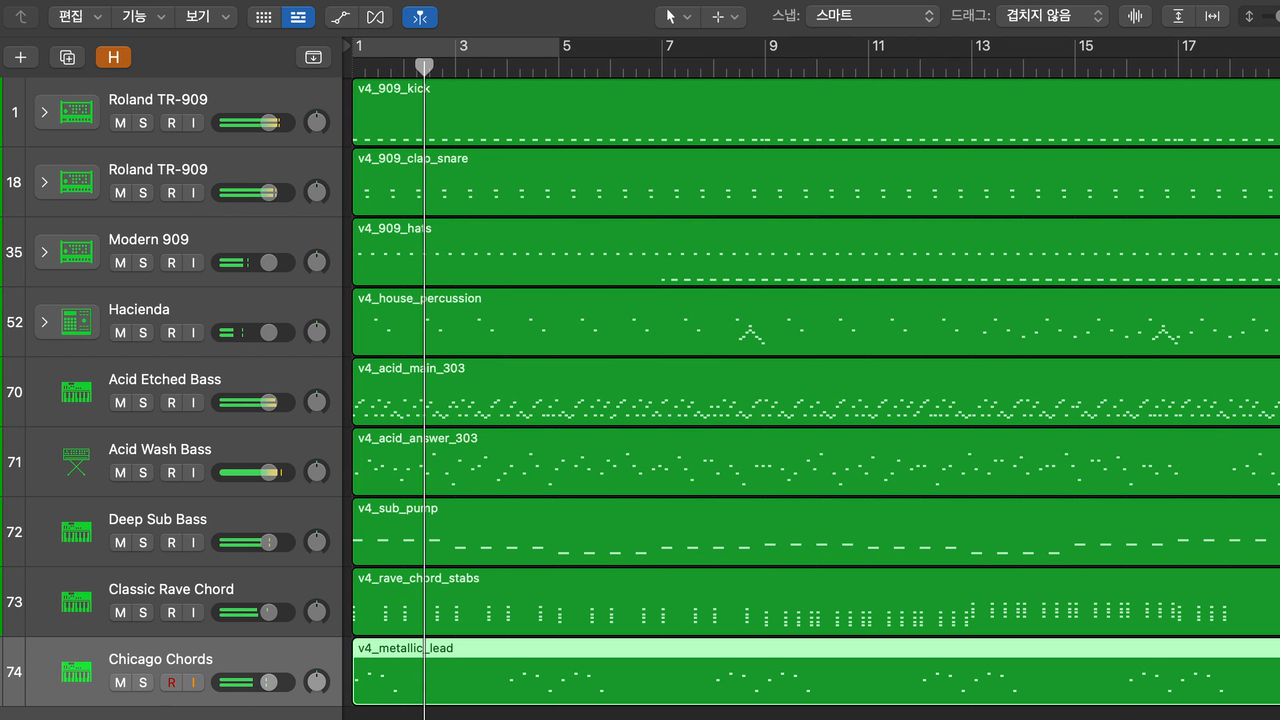
An 82 BPM D-minor lofi loop composed live in Logic Pro 12.3 by the MCP — tempo, three MIDI parts, a Drummer, and playback, all from prompts.
▶ Watch the 36-sec demo (with sound)
Logic Pro MCP Server gives Claude, Cursor, Codex, and other MCP clients a structured way to control Logic Pro without brittle keyboard macros. Logic Pro does not ship a first-party API for agentic composition, session setup, mixer operations, or live project readback, so Logic Pro MCP fills that gap by combining 7 native macOS control channels (CoreMIDI, Accessibility, AppleScript, CGEvent, MCU, Scripter, MIDI Key Commands — Sources/LogicProMCP/Channels/Channel.swift) behind one MCP interface, then wrapping every high-risk operation in explicit state, confirmation, and verification contracts.
The result is not "screen automation with prompts." It is a structured server for DAW agents: tools mutate, resources read, evidence is labeled, and uncertain outcomes stay uncertain instead of being reported as success.
At a Glance
Counts below are read from the current source tree with the command shown; re-run it after pulling to reproduce.
If this project helps you make music with Claude, Cursor, Codex, or any MCP client, star the repo. It helps the project reach more Logic Pro users and maintainers.
Want to contribute? Start with the Contributing Guide and the open issues. Many docs, examples, validation tests, and CLI-message improvements do not require Logic Pro.
Why It Exists
Most Logic Pro automation attempts fall into one of three traps:
- Prompt-only recipes that drift away from the real tool surface.
- Keyboard macro automation that can click the wrong target and still look successful.
- Single-channel control that can write to Logic but cannot reliably read what Logic actually did.
Logic Pro MCP uses a different model. It routes each operation to the strongest available channel, exposes live state through MCP resources, and forces callers to handle three outcomes: confirmed, uncertain, or failed.
What It Controls
Agent-Grade Surfaces
Tools are for actions and local artifact checks. The public write surface is intentionally small: logic_transport, logic_tracks, logic_mixer, logic_plugins, logic_midi, logic_edit, logic_navigate, logic_project, and logic_system. logic_audio is read-only and verifies exported files after Logic writes them.
Resources are for state. Clients should read logic://transport/state, logic://tracks, logic://mixer, logic://project/info, logic://project/audit, logic://project/cleanup-plan, logic://midi/ports, and related resources instead of burning tool calls on polling.
Evidence is separated from claims. The README points to release evidence, current-main verification, and live media artifacts instead of implying that a successful command equals a verified Logic state.
Trust Model
- Honest Contract envelopes: mutating operations return State A confirmed, State B uncertain with a reason, or State C failure with an error.
- Verified plugin apply-back:
logic_plugins.*uses HC v2 (hc_schema: 2) and returns State A only after project identity, target track, physical insert slot, plugin identity, and readback all agree. - Fail-closed targets: dangerous mixer, marker, track, MIDI import, and plugin operations require explicit targets and validation.
- Confirmation levels: destructive/project and plugin insertion flows require explicit confirmation metadata before execution.
- Provenance labels: read surfaces expose source, freshness, and evidence labels instead of forcing clients to guess.
- Installer hardening: Homebrew pins SHA256; the shell installer refuses to run without explicit hash/team pins unless same-origin provenance is explicitly allowed.
- Release honesty:
v3.18.0is the current stable line, and README claims stay tied to shipped artifacts, release-tree tests, or explicitly linked live evidence.
Locales
Logic Pro ships ten UI locales, and this server tracks all ten as the default scope (not just en/ko): de-DE, en-US, es-ES, fr-FR, it-IT, ja-JP, ko-KR, pt-BR, zh-CN, zh-TW. UI-string matching (menu items, header labels, dialog buttons) lives in docs/locale/ui-labels.json, the canon index every locale-sensitive locator derives from.
Each of the 203 canon labels carries a per-locale coverage: measured (read from a live, running Logic window and recorded with the host, date, and AX role/attribute), derived (computed from Apple's own .strings tables by Scripts/derive_label_variants.py, not read from a live window), unmeasured, or retired (one label, headerPanHint, superseded by sliderPanHint and kept in the canon with its reason). Measured counts per locale, out of 203 canon labels (python3 -c "import json,collections; d=json.load(open('docs/locale/ui-labels.json')); c=collections.Counter(); [c.update([(l,v) for l,v in e['coverage'].items() if v=='measured']) for e in d['labels'].values()]; print(c)"):
A derived label has not been read from a running Logic in that locale; it is Apple's own string for that key, which is a strong signal but not a live observation. The roadmap (docs/roadmap/README.md) tracks per-feature live locale campaigns (mixer routing graph, MCU bank walk, record-arm key-command setup, and others) as they are driven against real Logic sessions in each language.
Quick Start
Prerequisites: macOS 14+ for the MCP server, Logic Pro (latest release prioritized — currently 12.3, which Apple lists as requiring macOS 15.6+; older Logic versions down to the 12.0.1 floor are best-effort), and an MCP client that can launch a stdio server. Published GitHub Actions/Homebrew assets are universal (arm64 + x86_64) and do not require Xcode. Bounce/export uses the bundled native CGEvent helper with no third-party click binary.
Logic Pro version policy. Logic Pro MCP tracks the latest Logic Pro release as its first-class target and validates against it. When Apple ships a new Logic Pro version, supporting it is the top priority — the Accessibility/UI tree shifts between releases, so the newest version is where fixes land first. Older versions above the 12.0.1 floor remain best-effort and may lose parity as those UI surfaces change.
The package manifest uses Swift tools 6.0 for compatibility. Current source verification uses Xcode 16.4 / Swift 6.2 in CI.
The current stable line is v3.18.0 (cut 2026-09-28 UTC). Its per-release detail — everything added, changed, and fixed since v3.17.0, along with every stated limit — is in CHANGELOG.md; this README does not restate release history.
1. Install
The Homebrew formula pins both the release tarball URL and its SHA256; Homebrew itself is a trusted delivery channel with its own signature chain. This is the hardened path for production installs. (On Homebrew older than 6.0 the brew trust step does not exist — skip it.)
For source-tree development, build locally:
To upgrade an existing install: Homebrew installs use brew update && brew upgrade logic-pro-mcp; source builds use git pull && swift build -c release; pinned shell-installer installs re-run the installer with the new release's pins (below). Because release binaries are ad-hoc signed (no Apple Developer ID; see SECURITY.md), macOS treats each new build as a different signed identity — Accessibility and Automation grants do not carry over to a freshly built or reinstalled binary, and TCC re-approval for the launcher app is expected after every upgrade, not just after long gaps (docs/TROUBLESHOOTING.md covers removing stale TCC entries and re-granting them).
2. Register with an MCP client
Claude Code:
Generic MCP client config (Claude Desktop, Cursor, VS Code, Codex CLI, Codex Desktop, and any other client that accepts a stdio MCP server entry — each client's own config file location and key names are documented by that client, not here):
If you built from source, point the command at .build/release/LogicProMCP.
3. Inspect readiness
Run the local checks:
The installer also performs its bounded permission check. Missing capabilities terminate explicitly;
it does not ask for a manual grant or attestation. The bundled Key Commands mapping and Scripter
assets remain references, but mapped send-only operations report unattended_unavailable because
their Logic-side setup and outcomes cannot be established programmatically. Raw MIDI bypass calls
remain available when their virtual transport is ready.
4. Test from your agent
Ask the client:
Check Logic Pro MCP health and show all ready channels.
Expected: only programmatically qualified channels report ready; Key Commands and Scripter mapped
operations remain unattended_unavailable rather than becoming ready from an operator assertion.
Pinned shell installer
The installer is fail-closed: it refuses to run without explicit LOGIC_PRO_MCP_SHA256 + LOGIC_PRO_MCP_TEAM_ID env pins. It verifies the downloaded LogicProMCP-macOS-universal.tar.gz archive, so copy the SHA from that archive entry in the release's SHA256SUMS.txt:
If you knowingly accept same-origin provenance (hash + Team ID fetched from the same release as the binary), opt in explicitly:
See SECURITY.md §Installer trust model for the trust tiers and threat model.
Permissions
Open System Settings -> Privacy & Security:
- Accessibility: enable the app that launches
LogicProMCP(Claude Code, Terminal, Cursor, Codex, or Claude Desktop). - Automation: allow that app to control Logic Pro and, separately, System Events — macOS treats these as two distinct grants, and granting Logic Pro does not imply System Events.
If you use Apple Creator Studio Logic Pro (com.apple.mobilelogic), grant Automation separately from desktop Logic Pro (com.apple.logic10); macOS treats them as distinct apps even though both appear as "Logic Pro" in some pickers.
--check-permissions and LogicProMCP doctor report each grant as a three-state value (granted / not_granted / not_verifiable, never a bare Bool) and cover: Accessibility, Automation → Logic Pro, Automation → System Events, and PostEvent (Input Monitoring, needed by the CGEvent bounce/click fallback).
Because release binaries are ad-hoc signed, every new build or reinstall is a new signed identity to macOS: expect to re-grant Accessibility/Automation after upgrading, not only on first install. If permissions look wrong after reinstalling, remove the stale TCC entries in System Settings and grant them again to the actual launcher app (docs/TROUBLESHOOTING.md).
Forcing a Logic Pro variant
Valid values: com.apple.logic10 (desktop) and com.apple.mobilelogic (Creator Studio). Only desktop Logic Pro is qualified for this release. Forcing com.apple.mobilelogic points the server at Creator Studio anyway, with no qualification evidence behind it, and on a machine where Creator Studio is the only Logic installed, LogicProMCP doctor fails logic.installation with reason unshipped_variant_only.
Using LogicProMCP as a library
The package also exposes the LogicProMCP target as a library product named LogicProMCPKit (since v3.17.0), so a Swift application can link the same code the server runs instead of driving the server as a separate stdio process.
The public surface is small and deliberate. Almost all of the module, including the Accessibility readers (AXLogicProElements, AXHelpers, AccessibilityChannel), the channels, the state cache, and the dispatchers, is internal and is not reachable through the library. What is public:
PluginInspector(inAccessibility/PluginInspector.swift): the plug-in window Setting-menu inspector. Static entry pointsenumerateMenuTree,parsePath,encodePath,resolveMenuPath,selectMenuPath,decodeAUVersion,findPluginWindow,identifyPlugin,openPluginWindow, andclosePluginWindow. Every entry point that touches a window or a menu takes a caller-suppliedPluginPresetProbeorPluginWindowRuntimeof closures; the module ships no public production runtime, so nothing here reaches Logic on its own.- The data types those entry points use:
PluginPresetNodeKind,PluginPresetNode,PluginPresetCache,PluginPresetInventory,MenuHop,PluginMenuItemInfo,ScannerWindowRecord,PluginPresetProbe,PluginWindowRuntime,PluginError,AXUIElementSendable, and the constantmaxPluginMenuDepth. AXPluginInstanceIdentity(inAccessibility/AXPluginInstanceIdentity.swift, #972): a read-only census for plug-in hosts.census(pluginName:identifierPrefix:)returns anAXSnapshotof the Mixer strips whose insert slot names the plug-in (ordinal, name, slot positions) and of the open plug-in editor windows (title, and the firstkAXIdentifierunder the given prefix), plusDiagnosticssaying what was found. It issues no actions. Three outcomes are distinguishable: an empty snapshot with a note, a partial strip read (stripsReadWholeis false, so ordinals are not trustworthy), and a failed editor-window read, which throwsCensusError.windowsReadFailedinstead of returning zero windows. The #972 measurement was on Logic Pro 12.3.1 with the Mixer docked in the main window (X).- The Library inventory data model (in
Accessibility/LibraryAccessor.swift):LibraryNodeKind,LibraryNode,LibraryRoot, andTreeProbe. TheLibraryAccessorenum that scans and selects patches isinternal, so only its data model is reachable.
Dependency setup
The product name is LogicProMCPKit; the module you import is LogicProMCP. from: "3.17.0" is the floor that guarantees the product — every tag before it predates it.
Setup Doctor
Getting an agent to reliably drive Logic Pro is mostly a permissions-and-environment problem: TCC grants, the right Logic version, a live document, a registered control surface, no blocking modal. LogicProMCP doctor is a first-class, intent-aware readiness platform built for exactly this — not a boolean "is it installed" check, but a diagnostic that tells you which capabilities are ready, which are blocked, why, and what to do next — and never reports green for something it could not actually verify.
Intent-aware profiles. You are not forced through checks you'll never use. --profile scopes the required set to how you actually drive Logic — core (transport/tracks/AX), mixer, keycmd, legacy-scripter, or full. --client (claude-code, claude-desktop, cursor, vscode, terminal, custom) adds the registration checks that matter for that host. Aggregate status is scoped to the selected profile's required checks, so an MCU-only workflow isn't marked unhealthy for a Scripter gap it will never hit.
Capability readiness, not just check pass/fail. Every check is mapped to the capabilities it gates (track_management, midi_import, mixer_ax, mixer_mcu, keycmd_only_ops, verified_plugin_applyback, project_lifecycle, …). The report tells you "MIDI import is ready; verified-plugin apply-back is blocked by PostEvent" — the language an agent (or an operator) can act on directly.
Causal chain — fix_plan and blocked_by. Only non-pass checks with a concrete remediation are ordered into fix_plan (the next actions, most-unblocking first), and each downstream check names the upstream check that blocked_by it — so you fix the root, not the symptom. When the highest-priority outcome has a concrete remediation, the headline restates that next action. A non-remediable failure remains visible as a Terminal outcome; a non-remediable warning or manual result remains visible as an Unresolved outcome, but neither invents an action or appears in fix_plan.
Honesty is the whole point. A check that could not run (missing capability, unreadable TCC db) is reported as an explicit skipped with a reason — it is never silently folded into a pass. Legacy manual-channel assertion/skip records remain readable for compatibility, but never qualify unattended readiness or change the selected doctor profile. TCC findings are redacted to service/principal/state summaries — no raw local paths in the report.
Strict exit codes (--strict, for CI/agent gating): 0 ok · 1 failed · 2 manual_action_required · 3 degraded. Codes 2/3 are status codes, not usage errors, and sit below the sysexits.h range.
A real (redacted) run on a box mid-setup:
The same run in a terminal prints a grouped, color-coded report with per-check explanations and any concrete remediation anchors in docs/SETUP.md. The full flag reference, every check explanation, and actionable remediations live in docs/SETUP.md; the --json bytes are a stable contract you can assert against in your own onboarding automation.
Architecture at a Glance
MCP clients launch the Swift stdio server. Dispatchers validate tool parameters, ChannelRouter chooses the strongest available macOS channel, resources expose cached/live state, and high-risk writes return explicit confirmed/uncertain/failed envelopes. The core channels are MCU, Accessibility, AppleScript, CoreMIDI, CGEvent, Scripter, and MIDI Key Commands.
Documentation
The public docs tree is intentionally scoped: setup, API, troubleshooting, README media, plus public issue PRDs/tickets that explain active or shipped user-visible remediation. Historical release notes, internal PRDs, private ticket boards, spike notes, and local live-evidence work files are kept out of docs/; public release history belongs in CHANGELOG.md, GitHub Releases, merged PRs, and issue history.
Verification
This README does not carry a fixed test-passing count: the suite's size changes every release, and a number here would go stale before the next one. Run swift test --no-parallel locally, or read the CI badge, for the current pass/fail state. Per-feature live-evidence claims (which locale, which Logic build, what was measured and what was not) live in CHANGELOG.md next to the change they support, not here.
Live E2E defaults to the release binary. Protocol/security assertions run on any host; Logic/CoreMIDI-dependent checks skip unless a real Logic Pro session is visible.
API Contracts That Matter
- Honest Contract envelope — every mutating op returns State A confirmed, State B uncertain with
reason, or State C hard failure witherror. See docs/API.md. - HC v2 plugin apply-back —
logic_plugins.get_inventory,set_param_verified, andinsert_verifiedaddstate+hc_schema: 2; State C always carriesverified:false,write_attempted, retry safety, and target identity where relevant. - Fail-closed mutation targets — mixer faders, plugin params, marker delete/rename, track delete/duplicate, and MIDI imports require explicit target parameters.
- Exact-slot plugin insertion —
logic_plugins.insert_verifiedtargets the physical insert index returned byget_inventory, verifies the popup is anchored to that slot, and confirms success only by post-write inventory diff. - Target-faithful navigation —
goto_markerreturnselement_not_foundon a cold cache instead of advancing to the next marker. - 1-based MIDI channel —
send_note,send_cc, andrecord_sequencechvalues accept 1..16 to match Logic's UI. - Bounded raw SysEx —
send_sysexrejects payloads over 1024 bytes before CoreMIDI routing. - Audible-bounce guardrails —
record_sequencerefuses unverified GM Device / External MIDI imports,logic://project/auditreports External MIDI tracks with MIDI regions as export blockers, standalonelogic_project bounceterminates unsupported, and confirmedexport_runis the automated artifact path. - Audit phase split — audit logs distinguish rejected calls, confirmation prompts, and executed route invocations.
- Verified project saves —
project.save_asverifies the target.logicxpackage exists and that existing packages advance modification time. - Live project metadata —
logic://project/infopromotes live transport tempo/sample-rate when available and falls back per-field to saved project metadata. - Side-effect-free reads — resources expose state, metadata, and cached inventory without mutating Logic.
Release & Distribution
Stable production tags use the GitHub Actions release workflow. RELEASE-METADATA.json records the exact signing mode, Team ID, and architectures for each artifact. When Developer ID credentials are absent, releases publish ADHOC artifacts with SHA256 metadata and install validation rather than pretending to be notarized.
Per-release detail lives in CHANGELOG.md. Security and installer trust tiers are documented in SECURITY.md.
Registry Metadata
The repository ships server.json for the official MCP Registry metadata path. It is pinned to the current stable release (v3.18.0) and carries discovery tags for Logic Pro, DAW automation, MIDI, Claude/Cursor MCP clients, and music-production agents. The record is metadata-only because the registry package schema does not yet model Homebrew formulas or GitHub release tarballs as first-class package types. The install authority remains the pinned GitHub Release/Homebrew path above.
Known Limitations
- Tempo typing:
transport.set_tempouses bounded coarse and exact AX slider fallbacks when Logic's inline tempo input does not commit, and fails closed if exact readback still cannot be verified. - MIDI region padding:
record_sequenceregions start at bar 1 and extend to the target bar using inaudible padding; note timing inside the region is exact, but the region can look longer than the phrase. - External MIDI bounce readiness: MIDI regions on GM Device / External MIDI tracks are not accepted as audible-bounce evidence by project audit. Standalone
logic_project bounceis unsupported; use the guardedexport_runworkflow for automated artifact production. - MIDI Key Commands: Logic 12.2+ does not accept the legacy
.plistKey Commands import. The reference cannot establish or read back Logic-side bindings, so keycmd-only mapped operations remainunattended_unavailable. The automated record-arm key-command setup (system.setup_arm_key) refuses forit-IT,pt-BR, andzh-TWuntil their Key Commands spelling is proven from Apple's data or measured live (see CHANGELOG v3.18.0). - Markers: marker creation uses Logic's native Navigate menu and verifies the Marker List when it is readable. A closed/unreadable Marker List is reported as unreadable or served from the last readable cache instead of being promoted to a verified empty list.
rename_markerremainsnot_implemented. - Plugin parameter readback:
logic_plugins.set_param_verifiedopens the target insert's plugin window when needed and live-verifies Compressorthresholdthrough that window; arbitrary plugin parameters remain future work and fail closed withunsupported_param_readback. - Locale coverage is mostly derived, not measured: outside
en-US,ko-KR,ja-JP, andde-DE, most canon UI labels arederivedfrom Apple's.stringstables rather than read from a live Logic window in that language (see the Locales table above).
Development
Source builds require Xcode 16.4+ / Swift 6.2 for the current verified toolchain.
License
MIT. See LICENSE.
Contributing
Bug reports, PRs, and feature discussions are welcome. See CONTRIBUTING.md and the open issues for the dev workflow.
Security vulnerabilities: please do not open a public issue. See SECURITY.md for the private disclosure process.
來源:README.md,提交 faa48a0
工具
0版本歷史
3- v3.18.0最新Sep 28, 2026
- v3.17.0Sep 25, 2026
- v3.7.1Sep 16, 2026
評分
已滿足適用檢查項的 50%
該評分衡量此收錄條目的完整程度,依據註冊中心條目、端點與公開來源計算得出。它不是對伺服器本身的評價,也不表示伺服器安全或目前可用:可連通性是帶日期的檢查結果,評分也不包含安裝量或使用者評價。
- 近 30 天內可連通25 分
請保持端點能夠回應 MCP 握手;SourceWeft 每 30 天探測一次。
- 已宣告認證方式10 分
請在註冊中心條目中宣告憑證請求標頭,或保持端點能夠回應探測,以便判定其認證方式。
- 已列出工具15 分
請讓伺服器在無憑證時回應 tools/list,或發布可在沙箱中無憑證啟動的軟體包。
- 描述必需15 分
- 圖示10 分
- 文件15 分
- 授權條款10 分