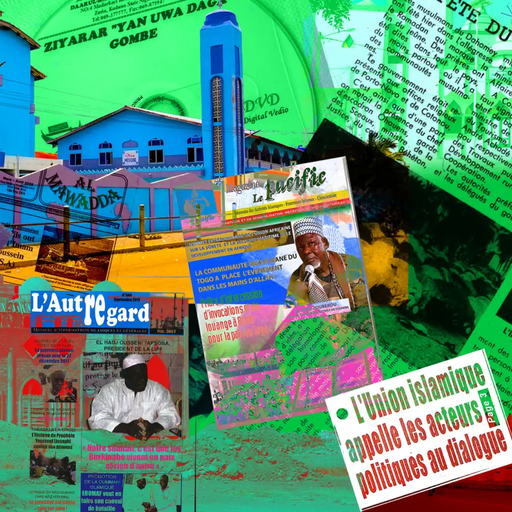
Islam West Africa Collection (IWAC)
io.github.fmadorev3.9.0更新於 Oct 7, 2026
Read-only access to the Islam West Africa Collection via Hugging Face datasets.
概覽
對伊斯蘭西非典藏檔案中的報紙、出版物、參考文獻與視聽資料進行唯讀檢索與分析。
- 功能
- 提供 38 個唯讀工具,涵蓋 IWAC 數位檔案的七個子集,其中 35 個開箱即用。工具涵蓋關鍵字與篩選檢索、條目取得、統計、情感分析、主題與地點聚合、出版物、參考文獻、圖像與視聽資料。全文工具可傳回關鍵字摘錄或分頁文字,部分工具在支援的宿主上會渲染為互動式圖表。
- 適用情境
- 適合研究西非伊斯蘭教與穆斯林相關問題的情境,例如查找報紙報導、比較不同模型的情感分析結果,或依主題、地點與日期探索語料庫。適用於希望取得附引用與來源連結結果的歷史學者、記者與學生。
- 執行需求
- 可作為 Windows 或 macOS 上 Claude Desktop 的一鍵桌面擴充功能執行,也可作為託管 HTTP 端點使用。桌面版首次使用時會從 Hugging Face 下載約 250 MB 的 parquet 資料到本機快取。選用的語意搜尋需要 Google 或 Gemini API 金鑰;選用的私有全文存取需要具有私有資料集讀取權限的 Hugging Face 權杖。
安裝
在 SourceWeft 中
- 開啟 儀表板中的 Islam West Africa Collection (IWAC),將其新增到工作區。
- 為需要使用其工具的對話啟用該服務。
Web executable,透過 Streamable HTTP。 遠端服務在工作區中設定後即可從網頁執行環境執行。
其他 MCP 客戶端
把它新增到你客戶端的 mcpServers 設定中。
{
  "mcpServers": {
    "iwac-mcp-server": {
      "type": "http",
      "url": "https://islam.zmo.de/mcp/"
    }
  }
}
README
IWAC MCP Server
[CI] [Release build] [Latest release] [MCP Registry] [License: MIT] [DOI]
A read-only Model Context Protocol server for the
Islam West Africa Collection (IWAC).
Ships as a one-click Desktop Extension
(.mcpb) for Claude Desktop, backed by the
IWAC Hugging Face dataset.
Also available as a hosted endpoint at https://islam.zmo.de/mcp/ for ChatGPT
and other MCP clients — see docs/connecting.md for the
full connection walkthrough (Claude Desktop and ChatGPT).
Install
Each release ships a
server bundle for your operating system plus a research-skill .zip. The
.mcpb gives Claude the data and tools; the .zip adds a research skill that
teaches Claude how to use them. Install the server first, then install the
skill too — strongly recommended for getting the most out of the tools: it
makes Claude search and synthesize far more efficiently, with fewer wasted
queries.
1. The MCP server — pick the bundle for your OS
- Download the latest bundle for your OS using the links above.
- Double-click the file. Claude Desktop shows an install dialog — click Install.
- On first use the server downloads ~250 MB of parquet data from Hugging Face
into
~/.iwac-mcp/cache/(override in the extension settings).
The bundle contains the server and DuckDB binaries for your OS (x64 and arm64). Claude Desktop supplies the Node.js runtime, so no separate Node.js or Python installation is needed. We publish desktop bundles for Windows and macOS.
Extension settings and updates
Open Settings → Extensions → Islam West Africa Collection (IWAC) in Claude Desktop to configure these options:
Semantic search and private access are independent options. Using both requires both credentials. The shared hosted endpoint serves public data.
Updating: download and open the latest bundle for your OS to update the extension. If the Hugging Face fields are missing, your installed extension may predate v3.6.0. After updating, review the settings, save any changes, and restart Claude Desktop.
Optional private full-text access
Public data remains the default and needs no token. In the desktop extension,
enable Use private full dataset, enter the Hugging Face token (private dataset only),
save the settings, and restart. Use a fine-grained token with read access to
fmadore/islam-west-africa-collection-full. The token field is marked sensitive.
Never paste your token into a chat or commit it.
Other local launchers can set IWAC_PRIVATE_DATASET=true and provide
IWAC_HF_TOKEN (or HF_TOKEN). A token alone does not enable private mode;
public downloads do not send it. No new dependency or account system is needed.
Private files use a separate private-full/ subdirectory of IWAC_CACHE_DIR
(default: ~/.iwac-mcp/cache). Restart after changing modes. Missing tokens
and private HTTP 401/403/404 errors fail without cache fallback. Network outages
may use that mode's cache. Explicit IWAC_OFFLINE=true uses downloaded files
without authentication; removing a token does not erase private files.
Keep the shared hosted endpoint public. This setting applies to the whole instance:
everyone who can query a private instance can access its full text. HTTP mode
therefore refuses to start in private mode unless IWAC_ALLOW_PRIVATE_HTTP=true
is also set, and both transports log which dataset they serve at startup.
2. The research skill — iwac-mcp-skill.zip (strongly recommended)
The iwac-mcp skill wraps the raw tools in a
structured research workflow: a five-phase methodology, francophone search
strategy, source attribution with confidence grading, and bias/coverage caveats.
It makes the server far more efficient to use — Claude picks the right tool
and search terms on the first pass (fewer wasted queries), searches French
sources properly, and returns a cited synthesis instead of a raw tool dump. You
can run the tools without it, but you'll get more out of every query with it
installed.
Download the latest iwac-mcp-skill.zip, then:
-
Claude Desktop — open Customize → Skills → + → Create skill → Upload a skill and select the zip. (Or unzip it into
~/.claude/skills/and restart Claude Desktop.) -
Claude Code — unzip it into your skills directory; Claude Code discovers it live, no restart needed:
Both land the skill at
~/.claude/skills/iwac-mcp/. The repository source of truth is.agents/skills/iwac-mcp/; keep project-local copies there rather than duplicating the same skill under.claude/.Installing it this way is still worth doing: an installed skill is matched against your question automatically, before any tool is called.
The server also serves the skill (skill://)
Every build embeds the research skill as MCP resources, including the Docker
image. The Skills extension
is finalized (SEP-2640); clients supporting it can discover the same catalogue
through skills/list and skills/get under io.modelcontextprotocol/skills.
Clients without that extension can use ordinary resources/read:
The optional resources/directory/read method is not advertised. The bare
skill://iwac-mcp URI is a catalogue document, not a directory. Skill content is
a build-time snapshot; editing the source requires a rebuild. The release zip
remains available for clients that install skills locally. Remote clients can
read the same workflow without downloading a release artifact.
What it gives Claude
38 possible read-only tools across seven IWAC subsets. 35 work out of the
box; the 3 semantic_search_* tools are optional and use Gemini or an explicitly configured local provider (disabled by default). All keyword and filter matching is
accent- and case-insensitive. The unified search/fetch pair, the stats
tools, the aggregates, list_periodicals, and get_sentiment_distribution also
return MCP structured content (outputSchema + structuredContent), which the
ChatGPT connector contract requires.
The aggregates answer questions about a whole set rather than returning its items: how it spreads across the 30 precomputed LDA topics, which subjects, places or bylines dominate it, what gets discussed alongside what, how its prose reads, where on a map it points, how it lays out in embedding space, and what a given item's nearest neighbours are. Eleven tools in all — the stats family plus these — declare an MCP App view, so in Claude they render as interactive charts rather than JSON.
get_temporal_distribution also reads the Islamic calendar. With
granularity="lunar_month" it pools every year into the twelve lunar months —
the one bucket a Gregorian axis structurally cannot produce, because the Hijri
year drifts ~11 days annually and so smears each observance across all twelve
Gregorian months. Over the 13,261 fully-dated articles the archive's rhythm is
plain: Ramadan +74%, Dhu al-Hijja +68% (hajj and Tabaski) and Shawwal +42%
(Korité) against an even split, while Rabi' I — Maouloud — sits flat. search_articles
and search_publications take hijri_month (1–12 or a name in either
transliteration) and hijri_year to read the items behind a peak. The lunar
dates are precomputed in the dataset pipeline with the Umm al-Qura tables, the
same converter the on-this-day block on islam.zmo.de uses, so the two never
disagree; items dated only to a year or month have no lunar date and are reported
in imprecise_date_count rather than plotted.
The four full-text tools (get_article, get_document,
get_publication_fulltext and get_audiovisual) optionally take a keyword to
return ~2000-char excerpts around each match, so Claude reads just the relevant
passages of a long article, archival document, periodical issue or transcription
instead of the whole text. When the whole text is what you want, they serve it in
25,000-character parts: each part says where the next one starts (next_offset),
and passing that back as offset reads on to the end.
Every result object includes a url field pointing at the canonical IWAC record,
e.g. https://islam.zmo.de/s/afrique_ouest/item/28576.
About the collection
IWAC is a digital archive focused on Islam and Muslims in West Africa:
- 12,000+ newspaper articles from Benin, Burkina Faso, Côte d'Ivoire, Niger,
and Togo, 1960s–present (mostly French), each with an AI abstract and AI
sentiment analysis (polarity / centrality / subjectivity), scored
independently by five models —
gpt-5-6-luna(the one the inline columns report),mistral-small-2603,deepseek-v4-flash-0731,gemma-4-31b-itandqwen3-8-27b. All five agree on polarity for only ~32% of articles, soget_sentiment_distribution(model="all")is the honest way to quote a figure. They do not all cover the same articles either —qwen3-8-27bscores 12,098 where the rest score 12,298 — so each model reports its owncoverage.model="consensus"returns the panel's precomputed majority (not a sixth model), andsearch_by_sentiment(disputed=…)reads the articles it split on - 4,700+ authority records (persons, organisations, places, events, subjects)
- 1,500+ Islamic publications (periodical issues, books) with full OCR
- 860+ academic references, half with abstracts
- 1,700+ audiovisual items — francophone web video from Burkina Faso, Togo and Benin (harvested from public channels, still growing, searchable by channel and reachable through a watch URL), plus 47 deposited Nigerian Hausa/Arabic recordings with files — and archival documents
Research workbench
explore_corpus connects selections to sources, keyword contexts, coverage
heatmaps, comparisons, publication-country/mentioned-place matrices, and pageable
manifest, CSL-JSON and BibTeX exports. iwac://datasets/{subset} resources expose
current columns, field availability and dataset provenance.
Temporal charts support normalized shares with explicit denominators. Sentiment
comparisons accept the same selection filters and a chosen pair of models, with
Cohen’s kappa and quadratic weighted kappa on explicitly reported populations. Exact
chart selections, source reading, Back navigation and provenance exports are
shared across the app. See the workbench guide for
examples, interpretation limits, cache behavior and local embedding migration.
On supported MCP Apps hosts, Fullscreen expands the view, and a compact summary of the current selection is shared automatically with the assistant. Ask about this selection sends an explicit question with that selection's snapshot; automatic updates do not start a conversation turn. The summary carries bounded filters, counts, source IDs and provenance, with omissions marked; full source text still requires retrieval. Controls depend on the host's advertised capabilities. See the interaction contract.
Architecture
- Data: parquet files from the
IWAC Hugging Face dataset
are lazily downloaded per subset (articles, publications, documents,
audiovisual, images, index, references) into a local cache and queried through DuckDB
views. A long-running server re-checks each subset daily (
IWAC_REFRESH_HOURS) and swaps in a newer revision without a restart. Each request pins its files; old generations are retained for other readers and reproducibility. All SQL is parameterised; matching is accent/case-insensitive. - Transports: stdio (the default — what the Claude Desktop
.mcpbuses), and a stateless Streamable-HTTP mode (node server/index.js --http) behind a bearer token, which the Docker image runs for the hostedhttps://islam.zmo.de/mcp/endpoint. - Docker: every release publishes
ghcr.io/fmadore/iwac-mcp-serverfor self-hosting the HTTP endpoint — seemcpb/README.mdfor the required env vars and token setup.
Develop
This implementation requires Node.js 24 or newer for both the build and server runtime. Node.js 20 is end of life. Desktop hosts with an older embedded runtime must be upgraded before installing the next bundle; the manifest rejects incompatible runtimes.
The bundle lives under mcpb/. See mcpb/README.md
for the build / pack workflow.
CI runs the version check, typecheck, lint, build, unit tests, and the offline
fixture + HTTP round-trip tests on every push to main and every pull request;
the live smoke test runs weekly (its pinned counts are the dataset-drift alarm).
Releases: push a v* tag — the release workflow re-runs the full test suite,
checks that the version is unpublished, packs and validates desktop bundles on
macOS/Windows, and smoke-tests the Docker image before publication. The publish
job uses those tested artifacts. Existing releases and registry versions cannot
be overwritten; use a new version for a new release.
Roadmap
See TODO.md — near-term: submit to the Anthropic extension directory, sign the bundle with a production code-signing cert, and replace Gemini semantic-search with a free local model.
How to cite
Machine-readable metadata lives in CITATION.cff — GitHub's Cite this repository button (sidebar) renders it as APA or BibTeX with the current version filled in. In text:
Madore, F. (2026). IWAC MCP Server (Version 3.9.0) [Computer software]. Zenodo. https://doi.org/10.5281/zenodo.21805837
That DOI is the concept DOI — it always resolves to the newest release, so it stays correct as versions come and go. If you need to cite the exact version you ran, take the per-version DOI from the Zenodo record.
If the software helped you reach a finding, please cite the collection itself as well — that is where the archival work lives.
License
Related
來源:README.md,提交 24355e3
工具
0版本歷史
2- v3.9.0最新Oct 6, 2026
- v3.6.0Sep 16, 2026
更多類似 Islam West Africa Collection (IWAC) 的服務

Private SuperIntelligence
si.privatesuperintelligence
讓助理說明 Private SuperIntelligence、瀏覽其網站內容,並代為提交等候名單登記。
genko.me
me.genko
讓助理搜尋無頭 CMS 的文件,並透過 OAuth 讀取、起草、發布與排程內容項目。
WITAN Markets
io.github.witanmarkets
讓助理在 WITAN 代理市場上搜尋、讀取、購買與出售經驗證的知識單元與已簽章資料集。