Countdowns Online MCP
io.github.rocnubie由 GitHub 帳號 rocnubie 發布v0.1.1更新於 Oct 24, 2026
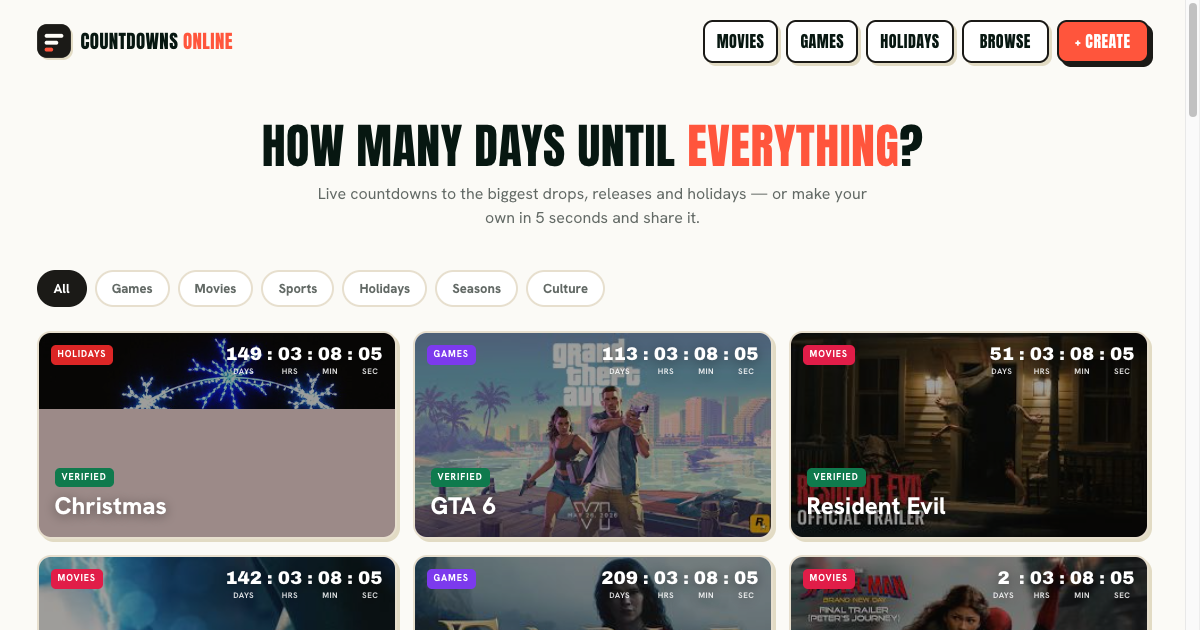
Live countdown timers for game launches, movie releases, sports and holidays.
概覽
唯讀 MCP 伺服器,讓助理取得 Countdowns Online 已驗證的活動日期、日期語意和官方連結。
- 可以做什麼
- 透過 get_countdown_overview 取得網站的倒數分類、已驗證日期語意和公開入口,無需參數,回傳 markdown。透過 get_official_links 取得官方連結的標準清單(網站、支援、可用時的說明文件)。讀取資源,涵蓋已驗證活動日期、重複規則、地區時間語意、自訂倒數入口、簡短常見問題及標準網址。使用內建提示詞概述網站,或在尊重日期驗證與地區時間的前提下協助選擇倒數。
- 適用情境
- 適合助理在使用者把某個發行、節日、體育或季節日期加入行事曆或分享之前,說明該日期的意義,包括地區或來源驗證背景。不適用於即時剩餘時間或使用者儲存的倒數,這些以官方網站為準。
- 執行需求
- 以本機 stdio 程序在使用者電腦上執行,可透過 Smithery CLI 安裝,或以 pnpm 與 Node.js 從原始碼安裝。未宣告 API 金鑰、配額或環境變數。僅限桌面用戶端,沒有網頁可執行版本。
安裝
在 SourceWeft 中
- 開啟 儀表板中的 Countdowns Online MCP,將其新增到工作區。
- 為需要使用其工具的對話啟用該服務。
Desktop only,透過 STDIO。 STDIO 服務會啟動本機處理程序,因此需要 SourceWeft 桌面主機。
其他 MCP 客戶端
參照 儲存庫 中的啟動說明。
README
Countdowns Online MCP Server
Countdown Timers - How Many Days Until | Countdowns Online
[MCP Badge] [License: MIT] [Zero Config] [Stdio Transport] [MCP] [smithery]
A Model Context Protocol server that exposes the canonical Countdowns Online knowledge surface — verified event dates, countdown semantics, and custom countdown sharing, FAQ, official links — to MCP-compatible AI clients such as Claude Desktop, Cursor, Windsurf, and Continue. Read-only, no API keys, no quota, ~50 ms cold start.
Official website: https://countdowns.online
⏳ About Countdowns Online
Countdowns Online is a static, browser-based directory of countdown pages for dates people want to track: game launches, movie releases, sports, holidays, seasons, and cultural events. Its useful distinction is not just the ticking clock but the meaning of the date behind it. A page can explain whether a target is a calendar date, a region-specific release, a venue schedule, or another date with a defined time basis. The site keeps source links and verification metadata visible so visitors can decide how much confidence to place in an event.
Key Features
- Verified event pages — Canonical detail routes use
/<category>/<slug>/and surface the target date, date status, applicable region, time basis, last verification date, and official sources. Events that have not passed the source-verification gate remain distinct from confirmed entries and are excluded from the sitemap. - Date semantics — The site does not turn a calendar date into a universal midnight launch. Cinema showtimes, regional storefront unlocks, venue schedules, and local observances can differ by region. Annual events roll forward to their next occurrence, and Black Friday is derived from the Friday after US Thanksgiving.
- Custom countdowns —
/create/lets a user enter a title, date, description, optional image, emoji, and category, then copy a share URL or generate a client-side image card. Saved countdowns remain in browser localStorage; custom state is encoded in the/c/URL shell, which is noindex. - Client-side live display — The visible days, hours, minutes, and seconds are calculated in the browser. This MCP exposes static site knowledge and date rules, not a live timer feed or a user's saved countdowns.
Use Cases
Visitors can use a verified event page to understand what a published date means before adding it to a calendar or sharing it. They can create a private countdown for a personal milestone, or use a category page to browse public events. For a current remaining-time value, newly published event, or under-review page, the official site is the source of truth.
Who Is It For
Countdowns Online is for people planning around releases, holidays, sports, seasonal dates, and personal milestones. It is most useful when the date has regional or source-verification context that a generic timer would hide. This MCP intentionally stays read-only and conservative: it does not claim that an unverified date is confirmed or that every event has one globally applicable time.
Tools
get_countdown_overview
Return the canonical countdown categories, verified date semantics, and public entry points exposed by the site. (Countdowns Online)
Input: no parameters. Returns: text/markdown.
get_official_links
Return the canonical list of official links for Countdowns Online (website, support, docs when available).
Input: no parameters. Returns: text/markdown.
Resources
site://countdowns-online/events— Verified event dates, recurrence rules, regional timing semantics, and custom countdown entry points.site://countdowns-online/faq— Short FAQ generated from public site metadata.site://countdowns-online/links— Canonical URLs to share with users.
Prompts
tell_me_about_countdowns_online
Summarize what the site is, who it's for, and how it works. — Countdowns Online
choose_a_countdown_countdowns_online
Choose a countdown while respecting date verification and regional timing. — Countdowns Online
Installation
Install via Smithery
(Replace claude with cursor, windsurf, or continue for those clients.)
Install from source
Then add to your MCP client config (claude_desktop_config.json for Claude Desktop, mcp.json for Cursor / Windsurf / Continue):
Debug with MCP Inspector
Official Links
- Website: https://countdowns.online
Development
License
MIT
來源:README.md,提交 e083980
工具
0版本歷史
1- v0.1.1最新Sep 16, 2026
評分
已滿足適用檢查項的 50%
該評分衡量此收錄條目的完整程度,依據註冊中心條目、端點與公開來源計算得出。它不是對伺服器本身的評價,也不表示伺服器安全或目前可用:可連通性是帶日期的檢查結果,評分也不包含安裝量或使用者評價。
- 近 30 天內可連通25 分
請保持端點能夠回應 MCP 握手;SourceWeft 每 30 天探測一次。
- 已宣告認證方式10 分
請在註冊中心條目中宣告憑證請求標頭,或保持端點能夠回應探測,以便判定其認證方式。
- 已列出工具15 分
請讓伺服器在無憑證時回應 tools/list,或發布可在沙箱中無憑證啟動的軟體包。
- 描述必需15 分
- 圖示10 分
- 文件15 分
- 授權條款10 分